How to Redeem Portal Mayhem Codes
Exact habits that work when promo codes go live — plus fixes when they fail.
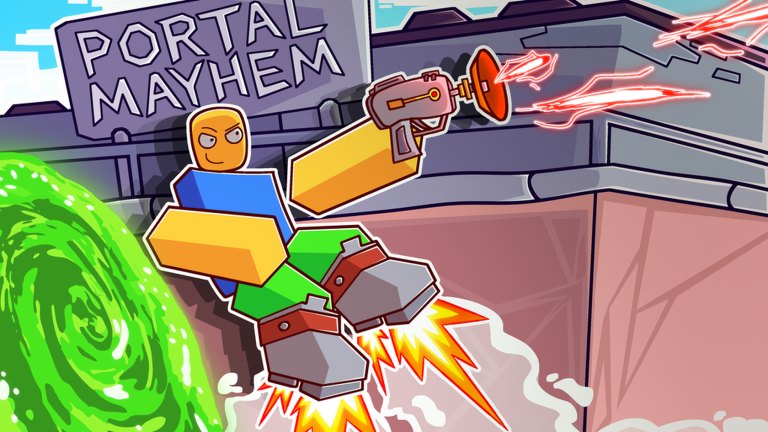
This guide explains how to redeem Portal Mayhem codes the moment a verified string appears. As of November 29, 2026, the Codes Hub still lists no verified active codes. Use this page as your playbook so you are ready when Eyfies drops a milestone, update, or social code.
Portal Mayhem is a Roblox open-world action experience with portals, scrap crafting, arm attachments, and implants. Codes — when supported — are a side bonus on top of that loop, not a replacement for learning Shift sprint, Ctrl shiftlock, T/G attachment swaps, and punch basics covered in Getting Started.
Before you redeem
- Confirm the code is listed as Active on the Codes Hub or appears in an official channel (game description, Eyfies profile, group shout, or official Discord).
- Launch Portal Mayhem on the Roblox account that should receive the reward.
- Finish any mandatory tutorial prompts so the full HUD is available.
- Keep scrap and inventory space in mind if the reward is a material bundle — sell or stash junk first if your bags are full.
Typical redemption steps on Roblox experiences
Exact button labels can change after patches such as QOL and New Dimensions, but most Roblox games follow a familiar flow:
- Open the main menu, shop, settings gear, or a dedicated Codes / Twitter / Gifts button on the HUD.
- Find a text field labeled Codes, Redeem, or Enter Code.
- Paste the code exactly — do not add spaces before or after.
- Press Redeem, Submit, or Claim.
- Watch for a success toast, inventory ping, or currency popup.
- If nothing appears, leave the server and rejoin, then check inventory and currency again.
When Portal Mayhem exposes its own Codes UI, the same paste-and-confirm pattern almost always applies. Update this muscle memory after every UI-facing patch from the Updates Hub.
Mobile vs desktop tips
- Desktop: Paste with Ctrl+V (Windows) or Cmd+V (Mac). Avoid autocorrect in browser extensions that alter clipboard text.
- Mobile: Long-press the field and choose Paste. Disable swipe keyboards that insert extra spaces. Rotate to landscape if the Redeem button sits under the keyboard.
- Shiftlock / combat: Exit shiftlock (Ctrl) and stop sprinting (Shift) before opening menus so camera and input focus stay on the UI.
- Arm attachments: Unequip noisy weapons if the menu refuses input — some experiences block UI while heavy tools are active.
Troubleshooting failed codes
| Symptom | Likely cause | What to try |
|---|---|---|
| ”Invalid” or no response | Typo, extra space, wrong casing | Re-copy from the hub; paste once |
| ”Already redeemed” | Code was single-use per account | Check inventory; you may already own the reward |
| ”Expired” | Timed social or event code | Remove it from your list; wait for the next drop |
| Button does nothing | UI desync after portal travel | Rejoin the experience; try a quieter dimension |
| Reward missing | Inventory full or delayed grant | Free scrap space; wait 30–60 seconds; rejoin |
| Only works for some players | Region, group, or level gate | Read the official reward text carefully |
Never buy “code packs” from strangers. Free official codes never require a third-party login.
What rewards to expect
Until Eyfies publishes real codes, assume rewards will look like soft currency, scrap crates, XP boosts, or cosmetics. Do not plan your Implants or Attachments budget around a speculative free Plasma Gun. Farm Prime-ready kits through scrap crafting and dimension routes instead, and treat codes as acceleration when they exist.
Community meta for weapons and arms still lives on the Tier List Hub. Progression gear planning sits under Loadouts & Implants. Automation tools are a separate risk topic on the Scripts Hub — codes and scripts are not the same thing.
After a successful redeem
- Confirm the item or currency landed.
- Spend scrap or cash intentionally — buy rocks, craft materials, or implants only if they match your current dimension goals.
- Note the code on your personal checklist so you do not retry it later.
- Return to the Codes Hub later for newly verified strings after updates.
Staying ready between code drops
Portal Mayhem launched on 2026-10-23. Early post-launch windows often add codes after visit milestones or QOL patches. Watch the official Roblox page, creator posts, and this wiki’s Official Links hub. Pair that habit with real progression: scrap loops, portal routes, punch-safe farming, and attachment swaps documented across Guides.
If a code fails every troubleshooting step above, capture the exact error text and compare it to the Active list. We would rather leave the hub empty than publish a broken string.
Ready for the next drop? Bookmark Codes and this redeem guide, then keep clearing dimensions the legitimate way until a verified code appears.
Frequently Asked Questions
Quick answers about portals, codes, Prime, and builds.
Why does my Portal Mayhem code say invalid?
Most often the code is mistyped, expired, or not yet real. Copy from the Codes Hub, strip spaces, and confirm it is still listed as Active.
Do I need to be in a specific dimension to redeem?
Usually no — redeem from a stable HUD state. If the menu breaks after portal travel, rejoin and try again from a quiet area.
Can I redeem the same code on multiple accounts?
Only if the developer allows it. Most Roblox promo codes are once per account. Always check the official reward wording.
Are there codes available today?
As of November 29, 2026, none are verified. Follow How to Redeem so you are ready the moment the Codes Hub updates.