Portal Mayhem Controls
Master arm attachments, sprint, shiftlock, punch, and mobile touch before your next fight.
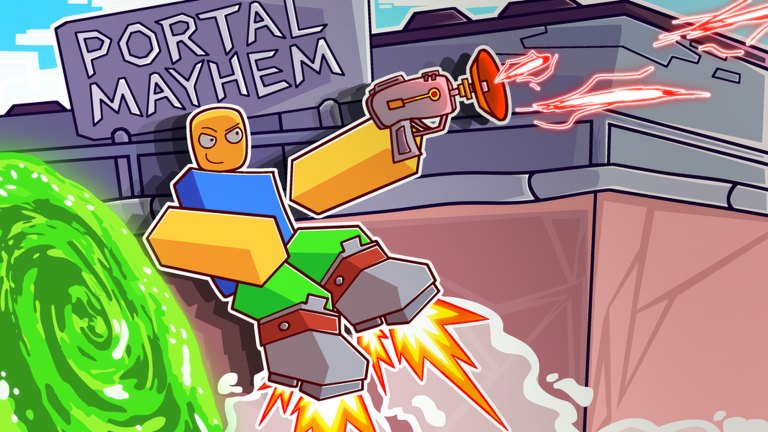
Clean inputs win fights in Portal Mayhem. This Roblox action experience by Eyfies mixes open-world scavenging with battlegrounds combat and portal hopping, so your hands need a reliable default layout before you chase scrap, craft guns, or open the Find My Prime destination. This page documents the core PC controls community players rely on, adds mobile / touch guidance, and explains how to use both under pressure.
If you are brand new, pair this guide with Getting Started. When you start building loadouts, jump to Crafting, Scrap Farming, and the Tier List. Boss-specific movement for spaceship cheese and under-map angles lives in How to Beat Prime and the Spaceship Guide.
Core PC controls table
| Input | Action | When to use it |
|---|---|---|
| T | Right arm attachment | Primary attachment ability, tool, or weapon bind on the right side |
| G | Left arm attachment | Secondary attachment ability on the left side |
| Shift | Sprint | Reposition, break contact, close gaps, or flee portal ambushes |
| Ctrl | Shiftlock | Lock camera relative to character for stable aiming and tracking |
| Left Click | Punch | Melee when no items are equipped |
These five bindings cover most early and mid-game situations. Attachments change what T and G do, but the keys stay the same - which is why learning the layout once pays off across dimensions.
Mobile and touch controls
Roblox mobile uses on-screen joysticks, jump, and contextual action buttons instead of T / G / Shift / Ctrl labels. Map the fantasy, not the letter:
| PC habit | Mobile equivalent mindset |
|---|---|
| Right arm (T) | Primary action / tool button for your right attachment |
| Left arm (G) | Secondary action button for the left attachment |
| Sprint (Shift) | Sprint or thumb-stick push combined with any sprint toggle the HUD shows |
| Shiftlock (Ctrl) | Camera lock / shiftlock toggle if present; otherwise careful thumb drag |
| Punch (empty Left Click) | Tap attack with no tool equipped |
Mobile practice tips
- Sit in a quiet spawn and identify which HUD buttons fire each arm attachment after you equip gear.
- Lower graphics slightly if farm dimensions hitch - scrap nodes matter more than max shadows.
- Use two-thumb camera discipline before you attempt ship under-map angles; Prime is harder on a phone without rehearsal.
- Prefer shorter farm loops from Scrap Farming so a disconnect does not erase a huge bag.
- When the late-November QOL and New Dimensions traffic spikes, mobile players should favor quieter dimensions first.
If a mobile button does nothing, check equip state the same way PC players do: empty hands for punch, correct arm tool for each action slot.
Arm attachments (T and G)
Portal Mayhem leans hard into dual-arm fantasy. Your right and left attachments are not cosmetic flair; they are your combat kit.
- T - Right Arm Attachment: Treat this as your primary commit button. Whatever you slot on the right arm should be the ability you trust when a fight starts - damage, utility, or a tool you spam while farming.
- G - Left Arm Attachment: Use the left side for complement roles: secondary damage, mobility, defense, or a situational gadget. Dual setups matter later with miniguns and other paired tools.
Tips for attachments
- Equip and test in a quiet area after crafting - do not discover a new bind mid-PvP.
- Keep mental labels: “T = main, G = secondary,” even if you swap gear often.
- After a craft or implant change, re-verify both arms before you portal into contested space (Dimensions).
- When comparing options, use the Tier List so you are not guessing which attachment belongs on which arm.
Attachments feed the wider loop: scrap and rocks become craftable tools, those tools bind to arms, and better arms let you farm safer dimensions. See Crafting for the material side.
Sprint (Shift)
Sprint is your survival budget. On twelve-player servers, standing still while someone else has a plasma gun or miniguns is how sessions end early.
- Sprint between scrap nodes instead of walking the whole route.
- Sprint out of bad trades - ego challenges waste materials you already collected.
- After a portal exit, take a short sprint sideways so you are not framed in the arrival doorway.
- During the Prime fight, sprint connects safe spots, ship approaches, and reposition angles described in the Prime guide.
Do not hold sprint mindlessly in tight indoor scraps if it makes camera control worse; burst sprint between cover points instead.
Shiftlock (Ctrl)
Shiftlock stabilizes your camera relative to the character so tracking enemies and aiming attachments feels consistent. Toggle it when:
- You enter a fight and need predictable strafing.
- You practice punch combos with empty hands.
- You line up attachment abilities that reward facing the target.
- You fly or approach bosses and need a steady view of weak angles (including under-map or below-Prime approaches on the Spaceship Guide).
Turn shiftlock off when you need free look for sightseeing, reading portal labels, or scanning the horizon for material nodes. The best players toggle deliberately instead of leaving one mode on forever.
Punch (Left Click, no items equipped)
Bare-fisted Left Click punching is the fallback when you have nothing equipped. It matters more than it sounds:
- Early game, punch clears light threats while you still gather scrap.
- Mid fight, empty hands can happen after deaths, swaps, or mis-equips - knowing punch range saves you.
- Training punch with shiftlock on builds the same muscle memory you will use when attachments replace fists.
If Left Click does nothing, check that you truly have no items equipped. Attachments and held tools change what click does; empty hands restore the punch behavior described here.
Suggested practice routine (five minutes)
- Spawn, toggle Ctrl shiftlock on and off twice so the camera feel is familiar (or find the mobile camera-lock control).
- Sprint a short loop with Shift, then stop and strafe under shiftlock.
- Unequip items and throw ten Left Click punches at open air or a safe dummy target if available.
- Equip your current right attachment and press T once safely; repeat for G on the left.
- Portal to a low-stakes dimension (Dimensions), then return and craft or sell (Crafting).
That micro-routine prevents the classic first-death spiral: wrong key, wrong camera, empty sprint stamina, lost scrap.
Controls in common scenarios
Farming scrap and rocks
Sprint between nodes, shiftlock off for scanning, then shiftlock on if another player contests the pile. Keep attachments ready on T/G so a steal attempt does not force a panic unequip. Protect materials by selling or crafting before hot portal jumps - details in Crafting and Scrap Farming.
PvP skirmishes
Open with shiftlock, commit T as your primary, use G for follow-up or escape tools, and sprint to break line of sight rather than trading forever. Advanced habits live in Advanced Tips.
Boss prep for Prime
Before Find My Prime, confirm attachment binds, decide whether you bring plasma gun or dual miniguns energy, and practice sprint paths toward ship or under-map safe spots. The full strategy - including friend help and solo ship-from-below tactics - is on How to Beat Prime.
New dimensions after the QOL patch
Late November 2026 added QOL and New Dimensions, with additional Roblox version publishes through November 29, 2026. When a portal label looks unfamiliar, pause, read the name, and set shiftlock/sprint intentions before you enter. New spaces still use the same T/G/Shift/Ctrl/Click fundamentals.
Common control mistakes
- Binding mental energy to the wrong arm (pressing G for a right-only tool).
- Forgetting punch requires empty hands.
- Leaving shiftlock off during precision attachment use.
- Sprinting straight into a portal exit where campers wait.
- Swapping gear and never re-testing T/G before a boss pull.
- On mobile: ignoring which HUD slot maps to which arm after a craft.
Fix those mistakes and your mechanical death rate drops before gear score even rises.
Related guides
- Getting Started - first session plan using these inputs
- Scrap Farming - apply controls to efficient loops
- Dimensions - portal travel while keeping combat keys ready
- Crafting - how scrap becomes the attachments you bind
- Spaceship Guide - flight inputs under boss pressure
- Advanced Tips - loadouts and PvP habits on top of raw controls
- How to Beat Prime - boss movement and weapon setups
- Codes - watch for future drops (none verified as of November 29, 2026)
Master the table, then let attachments and dimensions multiply what those keys can do. Portal Mayhem feels chaotic until T, G, Shift, Ctrl, and Left Click (or their mobile twins) become automatic - after that, every other guide on the wiki is easier to execute.
Frequently Asked Questions
Quick answers about portals, codes, Prime, and builds.
What does T and G do in Portal Mayhem?
T activates your right arm attachment and G activates your left arm attachment. They are the primary combat and utility binds once you equip crafted or found arm tools.
How do I punch in Portal Mayhem?
Left Click punches when you have no items equipped. If click does something else, unequip held items and attachments that override bare-hand melee.
What is Shift and Ctrl used for?
Shift sprints for repositioning and escapes. Ctrl toggles shiftlock so your camera stays locked relative to the character for steadier aiming and strafing.
Should I learn controls before crafting and Prime?
Yes. Practice T/G, sprint, shiftlock, and punch first, then follow Getting Started into crafting and dimensions. Attempt Prime only after your binds feel automatic.